A blog for people who don’t have time to blog
You already have things worth sharing. Turn a rough idea, a conversation, or something you learned into a polished post with your AI assistant and GoodSender. Review it, publish it, and prepare the email and announcements in the same workflow.

Bring the idea. Make it a post. Keep it going.
You know your subject. You explain it to colleagues, solve problems, make decisions, and learn things someone else would find useful.
Then someone says, “You should write about that.”
They’re right. But writing the article is only part of the job. There’s formatting, images, publishing, the email, and the announcements. Your idea stays in your notes.
GoodSender is now a blog platform built around helping you take that idea further. Work with your AI assistant to develop it, review the result, and publish to your own blog. Prepare the email and social announcements in the same publishing workflow.
Your experience gives the article its value. You get help turning it into something people can read.
Start with something you already know
Think of a question you keep answering. A decision you can explain. Something you tried that changed how you work.
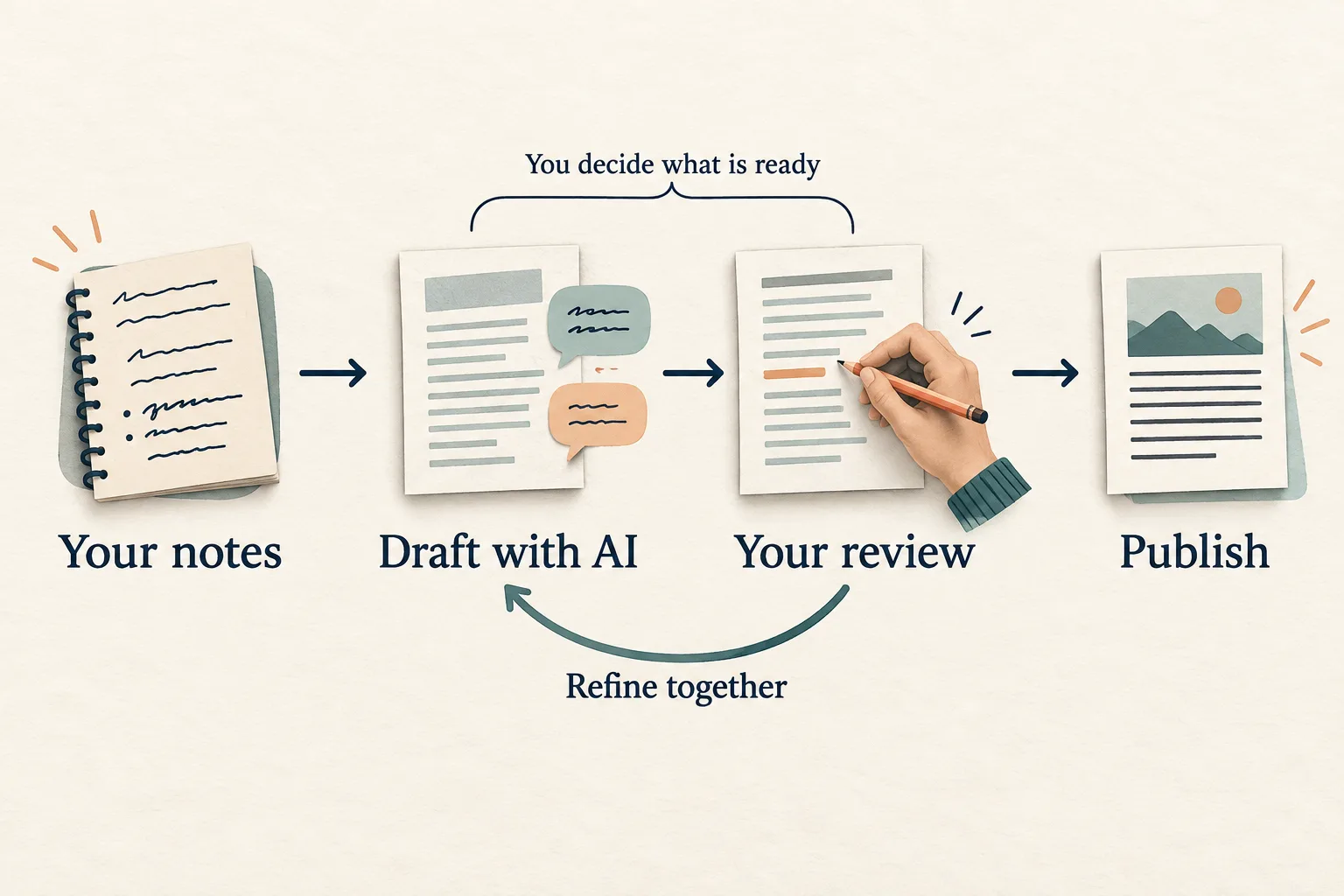
That is enough to start. Open Claude or Codex with GoodSender connected through MCP, the Model Context Protocol, and give it your rough notes:
“Here’s something people keep asking me about. Turn my explanation into a useful blog post. Keep my perspective, ask me where something needs explaining, and prepare a GoodSender draft for review.”
The assistant helps shape the argument and prepares a draft. You add the example it missed, correct the part it misunderstood, and decide whether the article says what you mean. Then you preview it on your blog.
You can stay with the idea while the assistant handles the steps between rough notes and a draft in GoodSender. You can also open that same draft in the editor and work on it yourself.
This article followed that approach. It was drafted with an LLM from our product direction and repository, revised through conversation, and prepared for publication through MCP.
Start your blog. Bring one idea you have been meaning to write about.
Prepare the post and the invitation to read it
Once the article is ready, there is another piece of writing to do: give people a reason to open it.
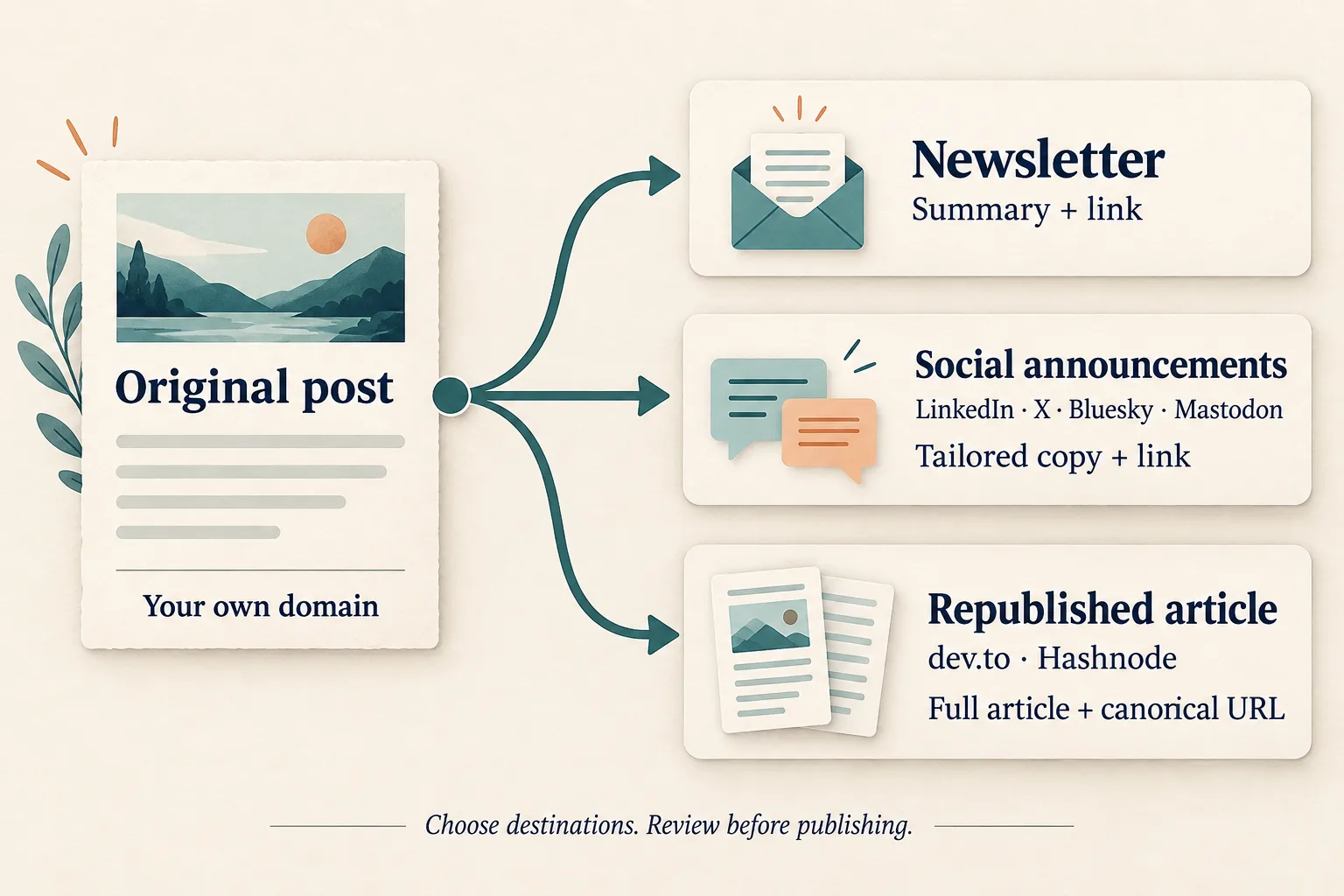
GoodSender connects the original post to the different forms that invitation can take:
- Email: a summary that gives subscribers a reason to read, followed by a “Read the full post” button.
- LinkedIn and X: announcements tailored to each platform, with a link to the article.
- Bluesky and Mastodon: announcements for the readers who follow you there.
- dev.to and Hashnode: the full article, with a canonical URL pointing back to the original on your blog.
That last detail matters when the same piece appears in several places. The canonical URL identifies your original as the preferred source.
Connect the accounts you want to use, select destinations for the post, and review the distribution copy before publishing. A personal essay and a practical tutorial can reach their readers through different channels.
Email is built into GoodSender, backed by our sending infrastructure on Laneful. Subscription confirmation, unsubscribes, and complaint handling are part of that foundation.
Give the next post a starting point
An article often leaves you with another question worth exploring. You explained an idea. Next, show how you used it. Then write about what you learned.
Ask your assistant to propose a series from the material you already have. A set of research notes, lessons from managing a team, or stories behind product improvements can each give you several connected articles. A changelog is another possible source.
You can also give your assistant access to the repository you work on as a developer, tester, or owner, or several repositories you work across. Ask it to find the stories in the code, documentation, and changes, then help you explain why they matter.
With a scheduled task in Claude Cowork and GoodSender MCP connected, you can make preparing the next draft a recurring part of your routine. For example:
“Every Friday, review the new notes in this folder. Suggest the next article in our series and prepare a GoodSender draft. Ask me about missing examples and leave it ready for my review.”
The recurring task runs in Cowork. GoodSender holds the drafts and publishes the posts. You review each piece, decide what is ready, and can schedule finished posts for publication.
The next writing session begins with something to respond to.
Ready for readers, search, and AI
Your idea deserves a page that is ready for readers.
Your blog starts with templates already optimized for Performance, Accessibility, Best Practices, and SEO. That foundation is ready to use: see the scores from a test of a GoodSender blog below.
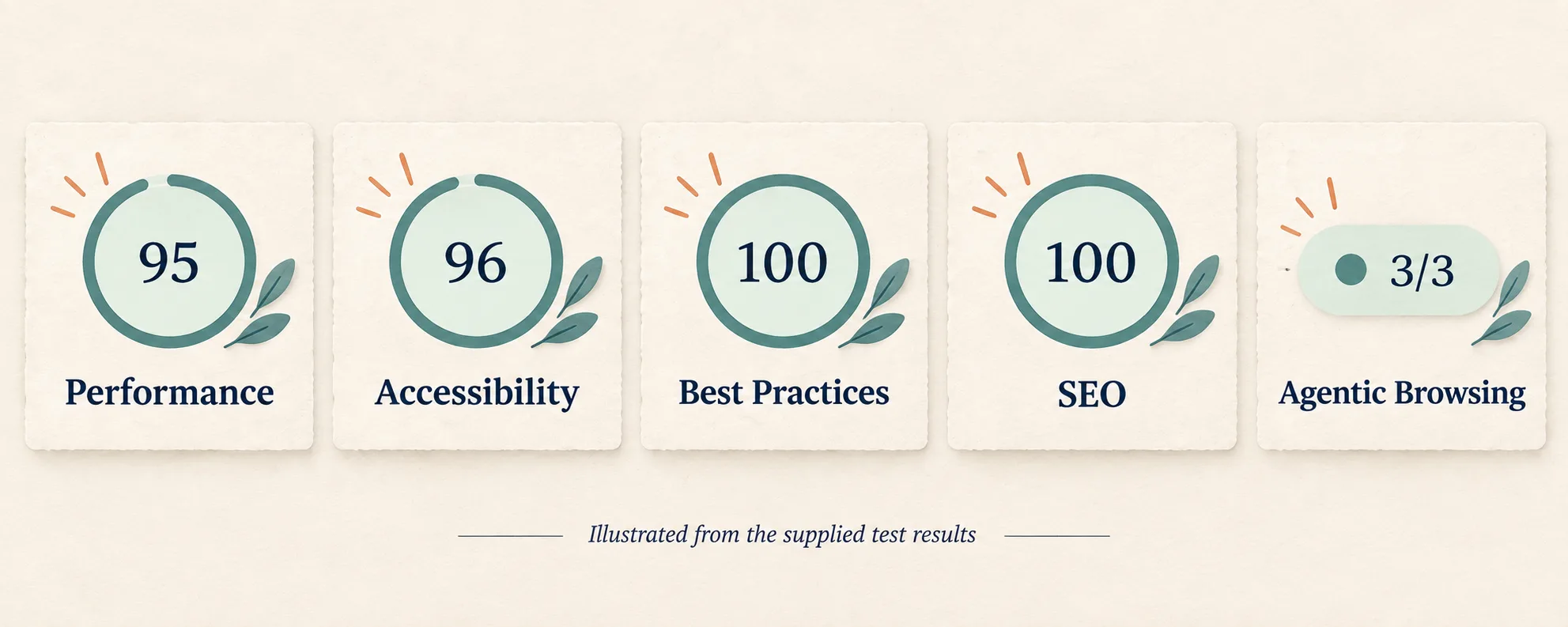
Underneath the page, GoodSender handles rendered HTML, metadata, canonical tags, a sitemap, and RSS. Search crawlers and AI systems can read the article text directly. Those are the foundations behind its SEO and answer engine optimization, or AEO.
Images get attention too. Uploaded images are converted to WebP and prepared in multiple sizes, taking image conversion and resizing out of your publishing checklist.
Your blog lives on your own domain. Email and social announcements bring readers back to the same growing collection of your work.
Coming next
We are working toward fully customizable blog design through AI conversation, while preserving the SEO and AEO foundations built into our templates. Describe the blog you want, then refine its design by talking through changes. This feature is upcoming.
For your first post, start with the thing you explained to someone this week.
Create your GoodSender account, connect your domain, and turn that explanation into an article. You can begin drafting while your domain is being connected.